
Popups matched to customer behavior
Collect contacts, promote offers, and retain customers who are about to leave your store. You decide who sees each message, where it appears, and when.
Customer experience
What happens when a popup is active
A visitor uses your store as usual. DropUI recognizes a selected situation, shows a relevant message, and records the response. This helps you make better use of the traffic already reaching your store.
Customer behavior triggers a rule
This may be a product visit, a page scroll, or an attempt to leave the store.
A relevant message appears
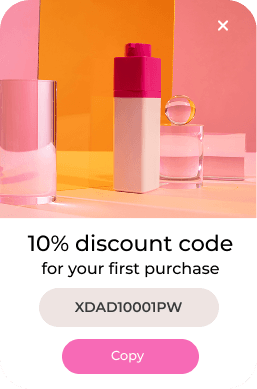
The popup shows an offer or form matched to what just happened in the store.
The response triggers the next step
A signup or click can automatically trigger the next message.
Display rules
You decide who sees each popup and when
A popup can respond to more than customer behavior. You can also match it to cart contents, the current page, device, traffic source, and visit history. You control how often the campaign appears and how long it remains active.
- The customer scrolls, clicks, or is about to leave
- The customer views a specific product or category
- The cart contains a certain value or selected products
- The customer is new or returning
- The customer uses a selected device or arrives from an ad
- The popup appears only at selected times
Your setup
How to launch a popup
You only need to make three simple decisions. Choose the goal, prepare the message, and decide who should see it and when.
Choose the goal
Decide what the popup should do. It can collect a contact, promote an offer, recover a cart, or direct the customer to a product.
Prepare the message
Match the design to your store and write the content yourself or use the AI assistant for support.
Set the audience and timing
Choose the display conditions, launch the campaign, and review results directly in the DropUI dashboard.
FAQ
Common popup questions
Yes. You can set colors, content, form fields, images, and layout to match your brand identity.
No. Rules let you target selected audiences, pages, and situations. You can prepare separate messages for new and returning customers.
Yes. A form can collect contact details and the marketing permissions needed for further communication in selected channels.
No. Once DropUI is connected to your store, you can prepare the content, design, and display rules yourself in the dashboard.
Yes. You can adapt the design to smaller screens and decide whether the campaign appears on desktop, tablet, and mobile devices.
Campaign results are available in the DropUI dashboard. You can also prepare several variants and compare their performance.
See how to use popups in practice
Explore ready scenarios for collecting contacts, recovering abandoned carts, and promoting offers.
Explore scenarios