
A Feed customers can return to
Bring current offers and updates into one panel that customers open whenever they want to see them.
Customer experience
All current messages in one place
The Feed opens when someone clicks an icon or button in the store. It shows a list of current offers and updates, so customers can browse them and return to them while shopping.
An icon highlights new content
The Feed can use a floating button or become part of your store menu.
Messages wait in one panel
Customers do not need to search through multiple pages for promotions and important information.
Every message leads somewhere
It can open the full content, go to an offer, or launch a popup, bar, or Embed.
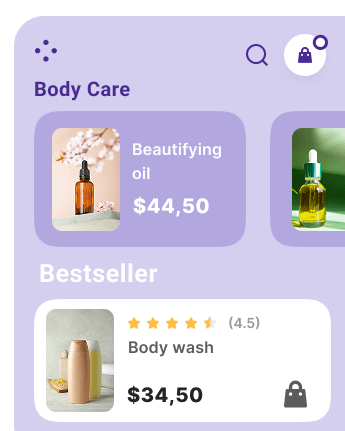
Feed capabilities
More than a list of updates
Each Feed item can have a different task. One announces something new, another provides a discount code, and the next collects a signup or leads directly to an offer.
- An announcement or important update
- A link leading directly to an offer
- A newsletter signup
- A discount code to copy
- A Web Push signup
- Loyalty status or an onsite campaign
Your setup
How to launch a Feed
Match the panel to your store, add messages, and decide where and when they should appear. You manage everything in one place.
Match the Feed to your store
Choose a floating button or menu icon, set the panel layout, and match the colors to your brand.
Add messages
Prepare a title, short preview, and content. Then decide whether a click should open details, a link, or an onsite campaign.
Set the place and time
Choose pages, devices, and publication dates, publish the message, and review opens and clicks in DropUI.
FAQ
Common Feed questions
A popup appears at a selected moment, while a Feed keeps multiple messages in one panel. Customers open it themselves and can return to available content during their visit.
The Feed can open from a floating icon in the bottom corner of the screen or a button placed in the store menu.
For example, an update, offer, link, newsletter signup, discount code, Web Push consent, loyalty information, or a link to an onsite campaign.
Yes. For each message, select the pages where it should be available and choose desktop, tablet, and mobile devices.
Yes. Set the start and end dates. After that time, the message will no longer be available in the panel.
Yes. DropUI measures message displays, opens, clicks, signups, and other actions depending on the campaign type.
See how to use Feed in practice
Explore ready scenarios for promoting offers, collecting signups, and leading customers to the next action.
Explore scenarios