
In your store
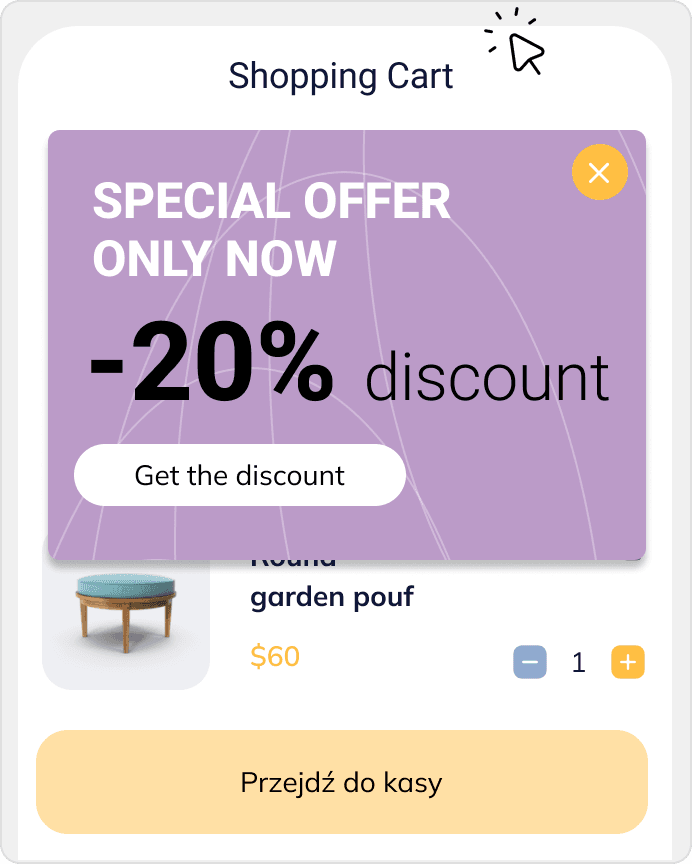
Popup: abandoned cart
Show a discount, free shipping, or one last offer when a shopper is about to leave with a cart.
Recover abandoned carts and collect signups starting at $0.
Recover abandoned carts and collect signups starting at $0.
In Shopware, growth often does not require more traffic, but better use of the visits the store already has. The problem appears when the shopper is close to buying but the store does not give them the right prompt near cart and checkout. DropUI helps recover revenue and increase order value on existing traffic.
See where to start and what will show fastest whether Shopware helps you get more from your traffic.
In a Shopware store, a large part of growth can come not from more traffic, but from better use of the visits already on the site. That is why Shopware popups, web push, and cart recovery scenarios matter most when they help the store react closer to the buying decision and get more from the moment when the shopper is already close to purchase. DropUI helps you act when the shopper has products in the cart, returns to a product, or starts leaving the store.
In Shopware, it is better to start with one campaign and a clear goal, but also with more organized sales scenarios. Instead of too many disconnected messages, the stronger setup is usually one recovery scenario, one order-value scenario, and one first-contact scenario. DropUI builds these around ecommerce context such as cart value, products in the cart, currency, URL, device, and language.
For many Shopware stores, the first step is an abandoned cart popup. A shopper has products in the cart but does not complete the order or starts leaving the store. At that moment, a simple message often works best: a cart reminder, a free shipping threshold, a small discount, or a clear buying argument.
This kind of scenario helps you quickly see whether the campaign improves returns to checkout and completed purchases.
In Shopware, the bigger win often comes not from adding more individual messages, but from building a simpler structure. One recovery scenario, one cart-value scenario, and one simple first-contact form usually give a clearer picture than several loose tests at once. That makes measurement easier and later optimization cleaner.
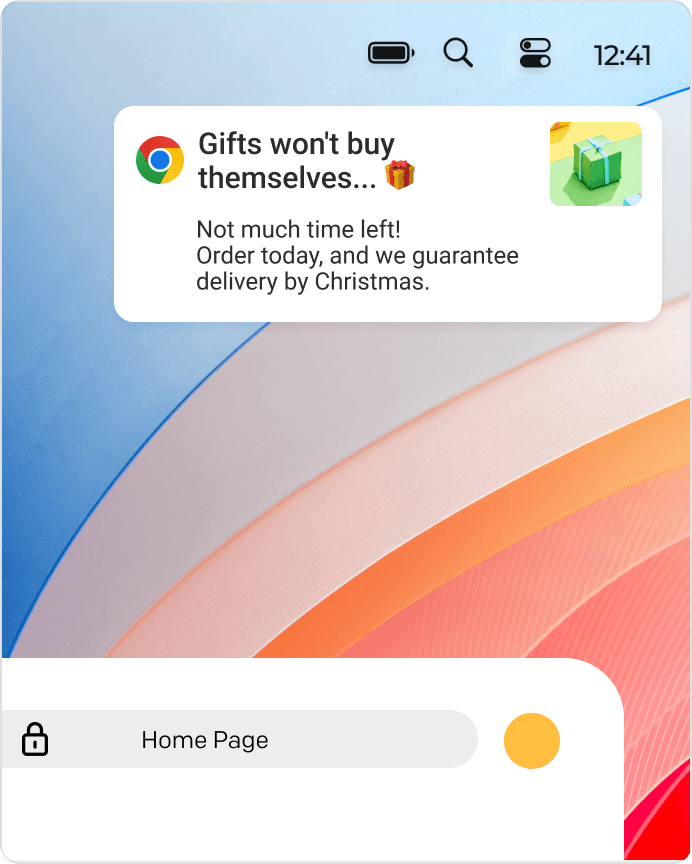
Popups work during the visit, but some shoppers need one more push. Web push helps recover them after they leave the store, as long as they already granted permission. This works well for cart reminders, product reminders, or a short-time offer.
The best messages are short and built around one clear reason to return. That makes recovery easier to launch and easier to measure.
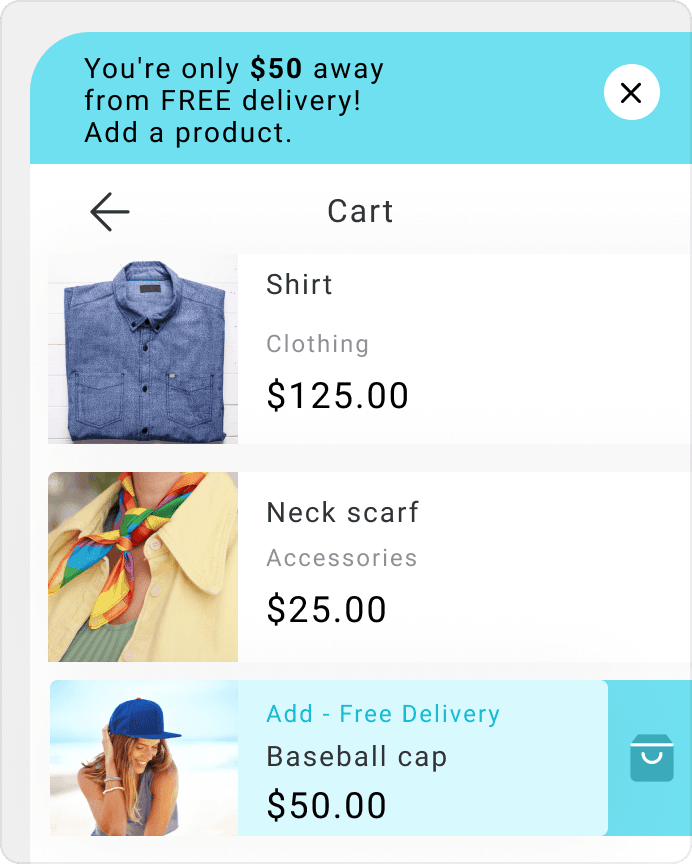
A good next step is increasing order value. A bar with the missing amount to free shipping, a threshold-based bonus, or a complementary product suggestion can improve performance on traffic the store already has.
This matters especially when the store wants better results without increasing acquisition cost.
Not every visitor is ready to buy on the first visit. That is why Shopware stores also benefit from first-contact scenarios such as newsletter forms, first-purchase codes, or promotion access.
This matters especially when some visitors return to the same category or product more than once before buying. If the shopper shares contact details or marketing permission, recovery does not have to end with one visit. You can also come back through email, SMS, WhatsApp, or web push and give the store a second chance to close the sale.
Views alone are not enough. Clicks, CTR, contacts, returns to cart, and variant comparison matter more. DropUI helps you compare scenarios and see what message works better in the Shopware store.
A good starting setup in Shopware is simple: one recovery scenario, one order-value scenario, and one first-contact form. That gives you fast data and helps you optimize the store based on results.
This integration matters most when the Shopware store needs more organized sales scenarios for improving sales, order value, and cart recovery on traffic it already has.
DropUI gives you access to more than 80 ready-to-launch scenarios. If you are starting with Shopware, these three are the fastest way to see what actually lifts sales, leads, or cart value.
In your store
Show a discount, free shipping, or one last offer when a shopper is about to leave with a cart.
In your store
Show how much is left to free shipping and give shoppers a reason to add one more product.
After exit
Bring shoppers back for Black Friday, holidays, or payday with a web push sent after they leave the store.
This data helps you choose better timing, offers, and targeting for your campaign.
In Shopware, what matters most is recovering revenue leaking near cart and checkout, and increasing order value on the same traffic. DropUI builds campaigns around store data and shopper behavior close to the buying decision.
If you have doubts before connecting Shopware, start with these questions. They are the fastest way to understand how to begin and what to expect.
Start with the scenario closest to lost revenue, usually cart recovery or a free shipping threshold. That is often the fastest path to recovered orders without adding more traffic.
Ready to launch
Connect Shopware and start recovering abandoned orders, increasing order value, and losing less revenue from the same traffic.
Getting started takes a few minutes
Last content update: May 21, 2026