
Recover abandoned carts and collect signups starting at $0.

Create a free account

Do not let a new lead sit after the form

A new contact waits too long, sales responds too late, and marketing and sales start without clear order. DropUI with HubSpot helps move faster from a new signup to the first meaningful team response.

How DropUI works with HubSpot

See where to start and what will show fastest whether HubSpot helps you get more from your traffic.

HubSpot: a new lead should not sit after the form

If you use HubSpot, the real problem is usually not capturing the contact itself. The problem starts when the lead stays trapped in the form, someone has to enter it by hand, or sales and marketing react too late. The DropUI and HubSpot integration helps shorten the path from a new signup to real team action.

DropUI can capture a lead on the site and then send it to HubSpot as a contact with core data, source information, and additional form fields. That helps the team move faster from capture to response instead of spending time cleaning up intake manually.

What does the DropUI and HubSpot connection improve?

The biggest benefit is simple: the lead does not stay in the form or in a separate tool. It goes straight into HubSpot, where sales and marketing can see campaign source, form data, and move to the next step without manual copy-paste.

In practice, this also means less mess at the start of the process. When the record lands in CRM with the right context right away, it becomes easier to call back faster, assign responsibility, and avoid wasting time on data cleanup before the first response.

How should you start in HubSpot?

The best start is usually one lead form or popup and a quick check that new contacts arrive in HubSpot with the right source and form data. That kind of start shows quickly whether the team can act on the data right away.

How can you tell whether the integration works correctly?

The best check is whether the new contact appears in HubSpot with the right fields, whether campaign source is saved correctly, and whether the team can move to the next step without manually clarifying missing details. That matters more than lead volume alone, because the real value appears when CRM is ready for action immediately.
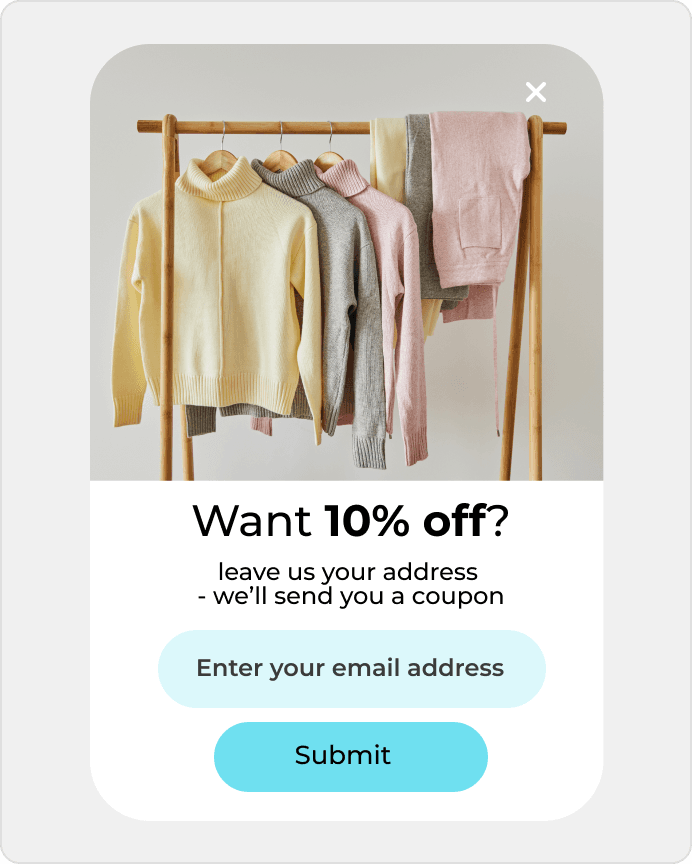
3 scenarios that show results fastest

DropUI gives you access to more than 80 ready-to-launch scenarios. If you are starting with HubSpot, these three are the fastest way to see what actually lifts sales, leads, or cart value.

In your store

Playbook: Lead capture

Automatically move leads from forms to CRM.

Use this playbook
Lead capture

In your store

Playbook: Contact enrichment

Enrich contact data from multiple sources.

Use this playbook

In your store

Playbook: Marketing automation

Trigger campaigns based on user behavior.

Use this playbook

What your campaign can build on

This data helps you choose better timing, offers, and targeting for your campaign.

The integration can send core contact data and DropUI lead context so the new HubSpot contact already has a useful starting record.

  • Email and phone
  • Name or contact label
  • Company and website
  • Campaign source
  • Form fields
  • Lead creation time

Questions before you start

If you have doubts before connecting HubSpot, start with these questions. They are the fastest way to understand how to begin and what to expect.

Usually the core contact data, campaign source, and form fields so the CRM contact is immediately useful.

Ready to launch

Connect HubSpot with DropUI and get new leads to a team ready to respond faster.

Launch your first campaign

Getting started takes a few minutes

Last content update: May 21, 2026